How we built selfie search for event photos on Cloudflare (and kept the originals out of it)
Browser uploads straight to R2, a container with no network draws the watermark, and the face service only ever sees what the public sees.
8 min read
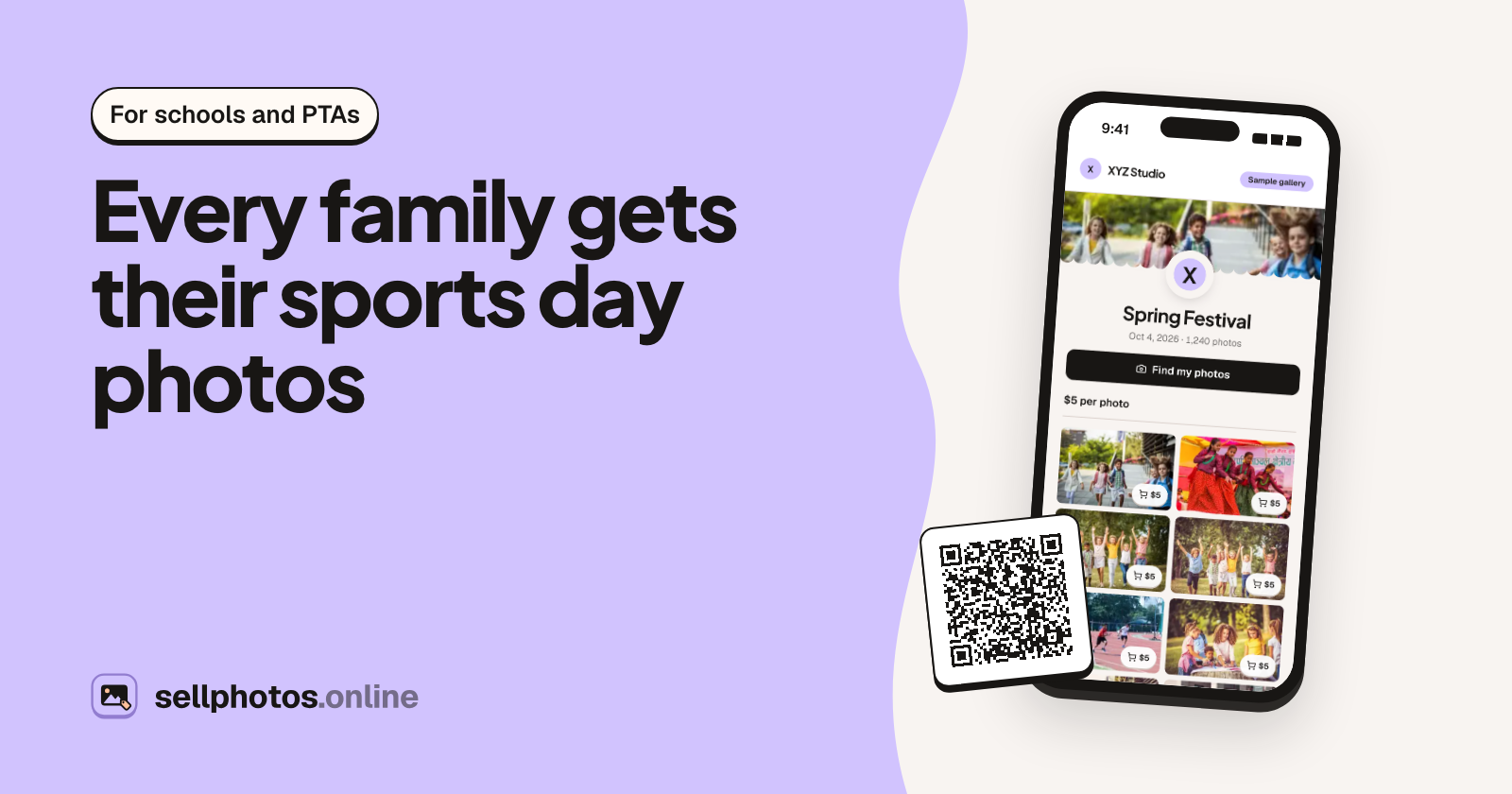
Our sample gallery has 1,240 photos from a school spring festival. A parent opens it on their phone, takes one selfie, and sees "7 photos of you". Behind that one tap sits a pipeline that takes 100 MB originals from a photographer's browser, turns them into watermarked previews, and indexes faces, without the originals ever leaving storage.
sellphotos.online is a store for event photographers. They upload a shoot and share one link or QR code. Guests find their photos with a selfie and pay the photographer directly. This post covers the plumbing. Three constraints shaped all of it:
- The originals are the product. Buyers pay for them. A leaked original is a lost sale.
- Guests won't install an app. They're at a gate or in a WhatsApp group, opening a link on whatever phone they have.
- Photographers upload thousands of files at once, in whatever their camera or phone writes, including iPhone HEIC.
The app is React Router (framework mode, SSR) on Cloudflare Workers, with D1, R2, Queues and a Cloudflare Container for image work.
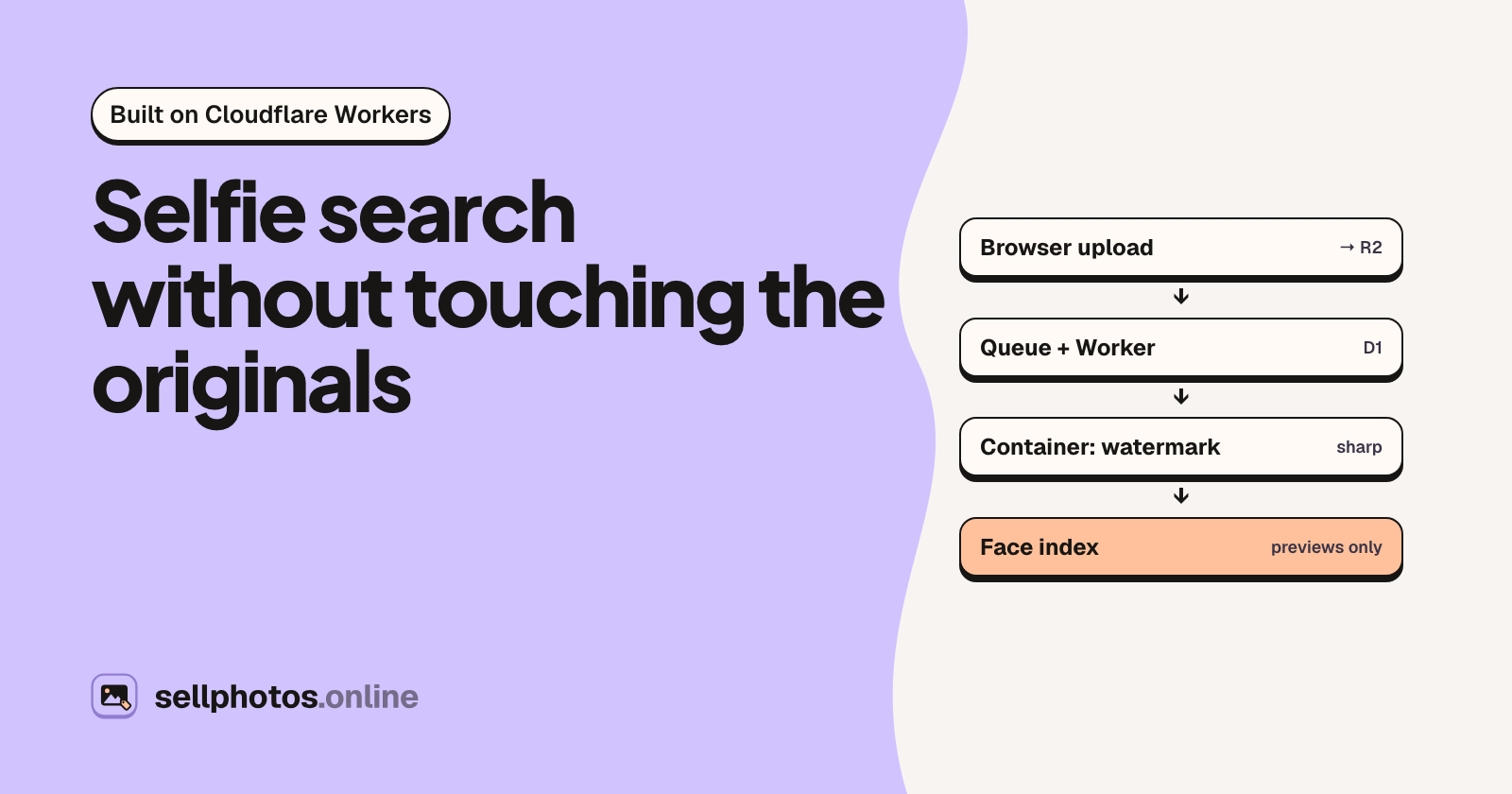
The whole pipeline
photographer's browser
  │  presigned PUT (≤ 20 MiB) or multipart (10 MiB parts)
  ▼
R2 originals ──(object-create notification)──▶ Queue ──▶ processor Worker
                                                              │ streams the original in
                                                              ▼
                                               Container: Node 22 + sharp/libvips
                                               (no internet, no credentials)
                                                              │ meta + watermarked WebP + smaller sizes
                                                              ▼
                                processor Worker: writes previews to R2, status = ready in D1
                                                              │
                                                              ▼
                                face indexing: the gateway fetches the WATERMARKED preview

guest's phone ─▶ gallery of previews ─▶ selfie ─▶ matches ─▶ pays the photographer ─▶ approved ─▶ original
1. Uploads go straight from the browser to R2
The Worker never proxies photo bytes on the way in. The browser asks for upload slots, up to 50 files per call. The app checks the plan's quota, inserts rows with status uploading, and returns presigned URLs: one PUT for files up to 20 MiB, or a multipart upload with one presigned part per 10 MiB above that. The URLs live for an hour and can be re-minted while the photo is still uploading.
Two details matter more than they look.
The client never picks the object key. Keys are {storeId}/{photoId}.{ext}, the extension comes from the MIME type, and the store and photo IDs are signed into the URL as object metadata. The original filename lives only in the database, after normalisation: bidi controls are stripped, so a U+202E can't fake an extension.
Duplicates are caught twice. Before uploading, the browser asks which files the event already has. It matches on name, size and lastModified first, then MD5-hashes only the size matches, so re-dropping a folder doesn't re-upload it. Those browser hashes are hints, though. The processor computes the MD5 of the original and has the final say.
2. R2 tells a queue, and a backup message covers lost events
An object-create notification on the originals bucket puts a message on a Queue. Before doing anything, the processor checks three things: the key is canonical, it matches the row's original_key, and its prefix is the row's store.
Event notifications can go missing, so there's a second path. When the browser calls /uploads/complete, the app enqueues a render message delayed by 15 minutes, which only acts on a photo still stuck in processing. An hourly reconciler picks up anything both of them miss.
3. A container that can't call anyone
The processor Worker streams the original into a Cloudflare Container running Node 22 with sharp and libvips. The container decodes and auto-orients the photo, then draws one of 27 watermark designs. It sends back a multipart response with three parts: JSON metadata (MD5, dimensions, capture time, dominant colour), a 2048 px WebP preview, and smaller sizes.
The container runs with enableInternet = false and holds no credentials. The Worker does every R2 and D1 write itself.
The reason is HEIC. sharp's prebuilt libvips can't decode HEVC, so HEIC files go through libheif's heif-convert to a lossless PNG first. libheif and libde265 are C/C++ parsers of untrusted input, with a steady stream of memory-safety CVEs. We pin libheif to an upstream release and build only the HEVC decoder. Its default security limits stay on, sharp's 300 MP pixel limit is checked against the header before decoding, and it runs via execFile with fixed arguments.
All of that helps, but the real defence is the box. Suppose someone got code execution inside the decoder. They could reach the one image they were handed and nothing else: no bucket, no other store's photos, no network.
HEIC had other surprises:
- Gain maps. iOS 18 HEICs carry an ISO 21496-1 gain map, roughly 40% of the photos in a recent iPhone library. The older libheif in Debian bookworm refused every one of them. The preview now uses the SDR base image.
- Orientation, once. libheif applies
irot/imir, and iPhones also write EXIF Orientation, so that path must not auto-orient a second time. - Colour. iPhones embed a Display P3 profile. Some Android phones signal P3 only through an
nclxbox, so we insert the P3 profile before converting to sRGB. - Bursts and edited stacks have several top-level images. We keep the primary one.
Watermark or nothing
This rule has the most code behind it. No code path copies original bytes into the previews bucket. The container rasterises the overlay as its own RGBA layer, then counts its visible pixels:
// workers/processor/container/watermark.js (simplified)
const MIN_COVERAGE = 0.0005; // 0.05% of the frame
let visible = 0;
for (let i = 3; i < data.length; i += 4) if (data[i] >= 8) visible++;
if (visible < width * height * MIN_COVERAGE) {
  throw new WatermarkError(`design ${designId} produced an empty overlay`, "watermark_empty");
}
A bad SVG, a logo that won't decode or an empty overlay each returns a permanent 422, and the Worker only writes previews from a 200.
Smaller sizes are drawn, not downscaled
Phones load images from 320 to 1536 px wide. Downscaling the 2048 px preview was the obvious move, but fine watermark patterns average away when you shrink them. We measured the share of pixels the mark visibly changes, per mille, over six real photos:
| design | 2048 | 320, downscaled | 320, drawn at 320 |
|---|---|---|---|
| Microtext | 71 | 16 | 57 |
| Diamonds | 39 | 5 | 63 |
| Brick | 108 | 39 | 110 |
| Tiled | 75 | 70 | 69 |
So the container draws the watermark again at 1536, 1024, 640, 480 and 320 px. It costs CPU: when we added the four smaller sizes, a render of about a second on an M3 got roughly 0.4 s slower. In exchange, a 320 px thumbnail is as hard to reuse as the full preview.
Each photo is also rendered exactly once. Changing your watermark later only affects new uploads, so a store with 50,000 photos doesn't re-decode 50,000 originals over a logo tweak.
4. Retries that don't lie
Queues deliver at least once, and the container can be busy, restarting or gone. Each failure gets its own lane:
| failure | what happens |
|---|---|
container busy (503 busy) |
ack, re-send as a new message, backoff 15 s → 5 min; doesn't use up retries |
| container unreachable | re-send, backoff 60 s → 8 min, for up to 30 min |
| transient (5xx, D1, R2) | message.retry() at 30 / 60 / 120 s with jitter; max_retries 3 |
| permanent (bad file, broken logo) | marked failed now; the photographer can press Retry |
| still failing after all that | the dead-letter consumer marks it failed |
Back-pressure shouldn't eat a photo's retry budget. Queues has no retry that doesn't count, so "busy" and "unreachable" become fresh messages that carry their own counters in the body.
D1 has no transactions you can hold open and no row locks, so correctness comes from guarded statements. The final write looks like this:
-- simplified
UPDATE photos
SET status = 'ready', preview_key = ?, md5 = ?, width = ?, height = ?
WHERE id = ? AND deleted_at IS NULL AND original_key = ?
  AND NOT (status = 'ready' AND preview_key IS NOT NULL);
The first render to commit wins. If zero rows change, either the photo was deleted mid-flight or a duplicate delivery got there first, and the preview we just wrote gets cleaned up. The duplicate check works the same way: one atomic batch() sets the MD5, soft-deletes newer copies in the same event (never one that has sold), and queues their R2 deletes.
Capacity is matched end to end. Ten container instances run two images each, so 20 at once, and the consumer runs max_concurrency 4 × max_batch_size 5, also 20.
5. Face indexing sees only what the public sees
Faces are indexed by SightRadar, our face-recognition service, with one collection per event. We don't send it files. It fetches each photo's watermarked preview from the public image route at ?w=2048, and that route has no code path to the originals bucket.
Indexing is batched, up to 1,000 photos at a time, and arranged so a crash can neither lose a batch nor pay for it twice:
- In one D1 batch, write an
intentrow and mark the photossent. The idempotency key is a hash of the sorted photo IDs and their attempt counts. - Submit the batch under that key.
- If the Worker dies between steps 1 and 2, the next run re-submits the intent under the same key. The gateway replays a key it has already seen without charging again.
- Poll the batch with backoff for about an hour. When configured, a signed webhook (HMAC-SHA256 over timestamp and body, ±300 s) settles results sooner.
6. The guest side: a link, a camera, no app
The guest scans a QR code on a poster and lands in a gallery of previews. "Find my photos" opens a short notice first, covering what a face template is, that it's used for this event only, and how long it's kept. The camera opens only after "Agree and take a selfie".
The camera is plain getUserMedia. It opens front-facing, mirrored in the preview, though the image that's sent isn't mirrored. "Find someone else" opens the rear camera, for a parent photographing their child. The phone checks the selfie before anything is uploaded. A photo under 160 px on its short side, one that's too dark (95th-percentile luma under 50), or one with two faces of similar size (where the browser has FaceDetector) is refused locally, without using up a search.
On the server, the selfie image is never stored. It becomes a face template, and the search result is cached for 24 hours for the browser that made it. Photographers can turn on "Live camera only", so nobody can search with someone else's photo from their camera roll. They can also delete an event's face data entirely.
Then the guest buys single photos, "all my photos" or the whole event. They pay the photographer directly, by UPI, PayPal, bank transfer or whatever the photographer accepts, and upload a screenshot. Once the photographer approves, /dl checks the buyer's entitlement and streams the original from R2 with Cache-Control: private, no-store.
What we'd tell someone building this
- Put the parser of untrusted files in a box with no network. Then keep patching it anyway.
- On D1, write every multi-step change as one
batch()guarded byWHEREclauses. "First commit wins, then clean up" is simpler than locks you don't have. - Give back-pressure its own retry counter. Otherwise one busy hour fails good photos.
- Measure what the user actually sees. We almost shipped thumbnails whose watermark had mostly vanished.
- Send the face service the same image the public sees. Then "what if it leaks?" has a boring answer.
What's next: AVIF came in at about half the bytes of WebP at 1024 px, but it encodes about twice as slowly and needs a Vary: Accept that our cache keys don't have, so it's parked for now.
If you want to see the guest side without uploading anything, there's a sample gallery with a simulated selfie search. Questions about any of the pieces above are welcome in the comments.